
Step-by-Step Guide: How to Replace and Calibrate Copper Wire Granulator Knives
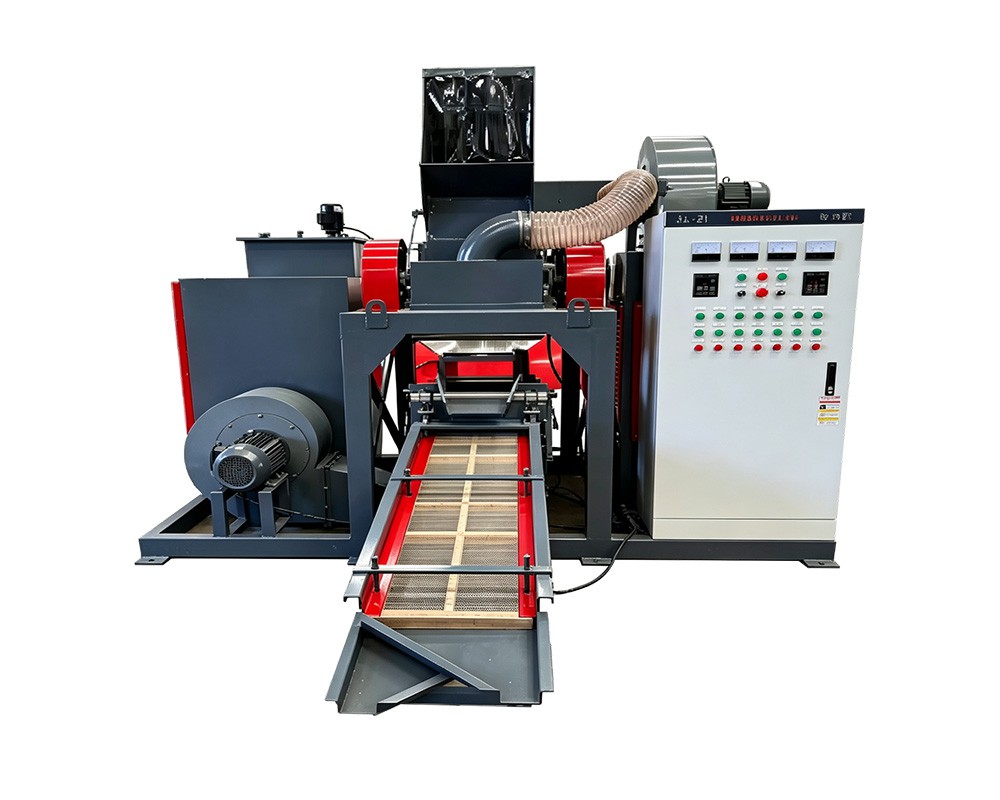
Step-by-Step Guide: How to Replace and Calibrate Copper Wire Granulator Knives
Published in News & Insights · Tech & Maintenance
By Henan Jiacui Intelligent Equipment Co., Ltd.
A blade change is the single most consequential maintenance task on a copper wire granulator. Done properly, it restores granulate uniformity, purity and energy consumption in a single shift. Done improperly, it produces a machine that runs loudly, cuts unevenly and delivers worse separation than the worn set it replaced — while the operator concludes that the new blades were ‘bad steel’.
This guide covers the full procedure for a dry-type granulator: preparation and isolation, removal, inspection of the parts that fail alongside the blades, installation, gap calibration and first-run verification. The specifics below reflect the JIACUI range, where compact models carry 6 SKD-11 blades, the RC-CWG660 carries 14 and the RC-CWG800 carries 16, all cutting to a 2–5 mm granulate. The sequence applies to any similar dry granulator.
Before anything else: isolation is not optional
The granulator chamber contains a rotor carrying several kilograms of hardened tool steel that can store energy for a surprising time after the drive stops. The following are prerequisites, not recommendations:
- Isolate the main drive at the isolator, lock it off and retain the key. Tag the isolator with the name of the person working on the machine.
- Isolate and lock off every auxiliary — fans, separators, screens and conveyors. A separator fan starting while your hands are in the chamber is a fatal event, and it has happened.
- Wait for the rotor to come to a complete standstill. Do not rely on the brake alone if one is fitted.
- Prove the isolation by attempting a start at the local control point before entering the chamber.
- Wear cut-resistant gloves, eye protection and safety footwear. Blades are sharp on both the cutting edge and the mounting faces.
- Never reach into the chamber to ‘feel’ for a blade position. Rotate the rotor with a bar or by hand from outside the danger zone, using the approved method in your manual.
Know your rotor before you open it
Blade configuration determines how much of the job is inspection and how much is adjustment. Record the numbers before disassembly, because they are the reference for everything that follows.
Model | Blade count | Blade material | Granulate size | Notes |
|---|---|---|---|---|
Model 300 | 6 | SKD-11 tool steel | 2–5 mm | gravity separator plus vibrating screen |
Model 350 | 6 | SKD-11 tool steel | 2–5 mm | 5.5 kW main unit, 2.2 kW gravity separator |
RC-CWG660 | 14 | SKD-11 tool steel | 2–5 mm | 40.24 kW installed, 5–15 t/day duty |
RC-CWG800 | 16 | SKD-11 tool steel | 2–5 mm | 45 kW main, 3,800 kg chassis, 5 m × 6 m footprint |
RC-CWG1000 | — | SKD-11 / D2 alloy | 2–5 mm | 55 kW crusher, dual line, 5,000 kg chassis |
Note the blade material: SKD-11 tool steel, with D2 alloy specified on the largest model. Both are high-carbon, high-chromium tool steels selected for wear resistance under impact. They are hard and they chip rather than bend — which is why contamination control matters as much as the blade itself.
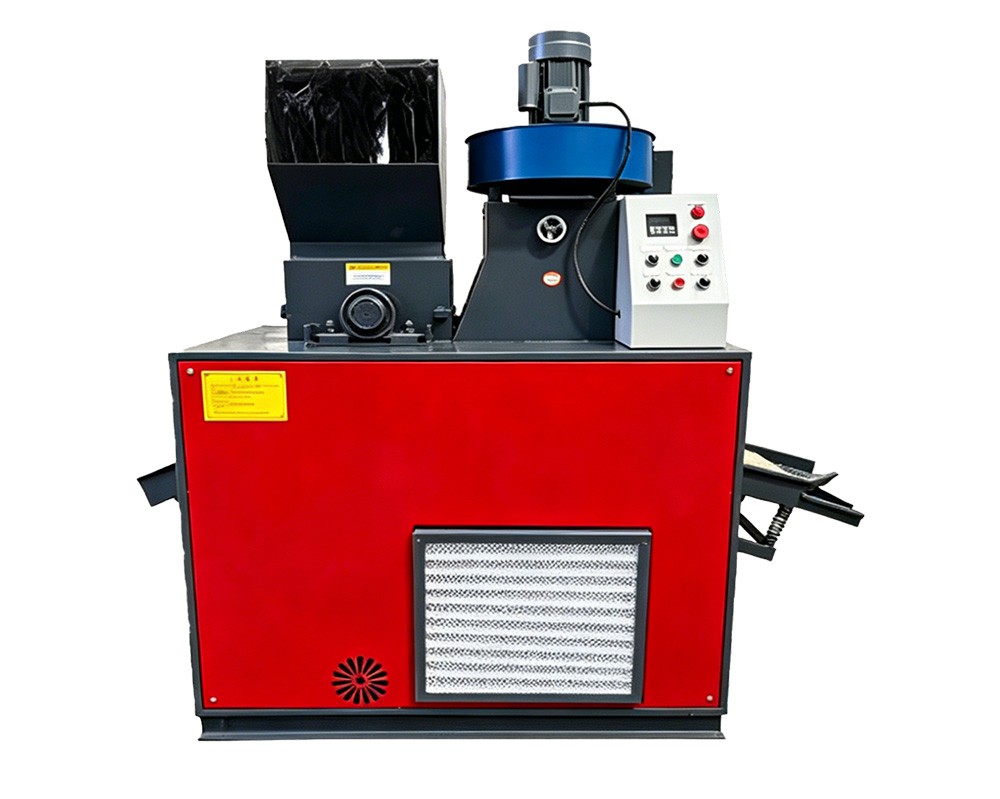
Blade count and arrangement determine how much of the job is calibration.
Tools and parts to have on the bench
- Correct socket and torque wrench for the blade fasteners — check the manual for the specified torque, and do not substitute ‘tight by feel’.
- Feeler gauges covering the specified blade-to-screen gap.
- A brass or soft-faced drift for seating blades, never a steel hammer directly on a cutting edge.
- Cleaning tools: scraper, wire brush, solvent-safe cloth. Blade seats must be clean and flat.
- Replacement fasteners where specified. Torque-to-yield fasteners must not be reused.
- A dial indicator or straight edge for checking rotor and screen condition.
- A notebook. Record blade hours, particle condition and gap measurements at every change.
Step-by-step replacement
- Isolate and prove dead as described above. Open the chamber access according to the manual.
- Clean the chamber before disassembly. Material packed around the rotor hides damage and contaminates the blade seats during reassembly. It also makes fasteners harder to remove cleanly.
- Photograph the blade arrangement. Blade orientation and staggering matter. A photograph costs ten seconds and prevents an assembly error that costs a shift.
- Mark blade positions and rotor orientation. Note which blade came from which seat, particularly if you plan to rotate rather than replace.
- Release fasteners in a crosswise pattern, not sequentially, to avoid distorting the blade carrier.
- Remove blades and inspect each seat. Look for fretting, burrs, cracks and material welded to the seat face. A blade cannot sit flat on a damaged seat, and an unseated blade is the root cause of most ‘new blades cut badly’ complaints.
- Inspect the screen. Check aperture definition, wear at the leading edge and any distortion. Replace if worn — a new blade set with a worn screen cannot produce a 2–5 mm granulate reliably.
- Fit new or rotated blades. Seat each blade fully, confirm orientation and stagger, and torque in a crosswise pattern to the specified value in two stages (approximately 60% then 100%).
- Rotate the rotor by hand through at least two full revolutions and listen and feel for interference before any power is restored.
Calibration: the gap is the whole job
The blade-to-screen gap sets both the maximum particle size and the effective residence time in the cutting chamber. Too large and material escapes before it is cut, producing coarse particles in which copper and plastic are still bonded — which then looks like a separation fault downstream. Too small and you risk contact, which destroys the screen and the blade edge together.
Measure at multiple points around the rotor, not at one. A rotor that has worn unevenly will show a different gap at different angular positions, and a single-point measurement will hide it. If the variation exceeds the tolerance in your manual, the rotor or the screen frame needs attention, and no amount of blade adjustment will compensate.
Calibration sequence:
- Set the rotor to the reference position given in the manual.
- Measure the gap with feeler gauges at a minimum of four positions around the screen, 90 degrees apart.
- Record every reading. A variation across positions is diagnostic information, not a nuisance.
- Adjust to specification, then re-measure after torquing — fastening can shift the carrier slightly.
- Rotate the rotor two full turns and re-check. Any contact mark means stop and re-set.
- Confirm the screen is correctly tensioned and seated before closing the chamber.
First-run verification
Do not hand the machine back to production on the basis that it starts. Run a short, controlled verification and check five things:
Check | What good looks like | If it is wrong |
|---|---|---|
Sound | Steady cutting note, no periodic knocking or scraping | Stop immediately; suspect interference or incorrect seating |
Granulate size | Consistent 2–5 mm, few oversize particles | Re-check blade-to-screen gap and screen condition |
Ampere draw | At or below the pre-change baseline for the same feed rate | Suspect a seating or alignment problem, or an over-tight gap |
Liberation quality | Few copper particles with insulation still attached | Check blade edge condition and gap; confirm orientation |
Product purity | At or above the pre-change baseline after a settling period | Re-check separation settings — do not adjust them until liberation is confirmed good |
Mistakes that cause most repeat blade changes
Mistake | Consequence | Correct approach |
|---|---|---|
Replacing blades without cleaning the seats | Blades sit proud, cut unevenly, chip early | Scrape and inspect every seat before fitting |
Tightening sequentially around the rotor | Carrier distortion, uneven clamping load | Crosswise pattern, two-stage torque |
Reusing torque-to-yield fasteners | Loss of clamp load, blade movement and failure | Replace as specified |
Measuring the gap at one point | Hidden rotor or screen wear goes undetected | Minimum four positions, 90 degrees apart |
Mixing new and worn blades on one rotor | Uneven cutting load, poor granulate uniformity | Replace or rotate as a complete set |
Adjusting the separator to compensate for poor liberation | Hides the fault and increases copper loss | Fix liberation first; leave separator settings alone |
Running at maximum feed rate from the first hour | Overheating, smearing, shortened blade life | Ramp feed over the first few hours and watch for smearing |
Making the next set last longer
- Remove hard contamination upstream. A magnetic separator ahead of the granulator is the highest-return addition you can make if you process harness, WEEE or demolition cable. Chipped edges come from terminals and clips, not from copper.
- Feed within the chamber’s clearing capacity. Heat is the enemy of edge life. Smearing on the blades at the end of a shift means the feed rate was too high.
- Keep the screen in good condition. A worn screen forces material to dwell and recirculate, which accelerates blade wear.
- Log blade hours against three measurements: granulate uniformity, amps per tonne and the share of copper particles with attached insulation. Let the data set your replacement interval rather than the calendar.
- Store spare sets properly. Blades stored loose in a drawer chip against each other. Keep them in their packaging, oiled, on a shelf.
Frequently Asked Questions
How long do copper granulator blades last?
There is no universal answer, because life is dominated by contamination and feed discipline rather than by hours. In clean household cable with correct feed rates, a set can run for many months. On harness and WEEE material with steel clips and terminals, the same set can fail in weeks. Track hours alongside purity and granulate uniformity to find your own interval.
Can I sharpen blades instead of replacing them?
SKD-11 and D2 blades can be reground by a competent tool room, provided the geometry and hardness are restored and the cutting edge is not chipped beyond recovery. Regrinding changes the effective blade height, so the blade-to-screen gap must be re-calibrated afterwards, and the set must be ground as a matched set to keep the cutting circle uniform.
What gap should I set?
Use the figure in your machine manual — it is specific to the rotor, screen and target granulate size. Our granulators are designed for a 2–5 mm granulate. Do not infer the gap from the desired particle size: screen aperture and blade gap together determine the result.
The machine sounds different after the change. Should I be worried?
Yes. A steady cutting note is normal; periodic knocking, scraping or a rhythmic thud is not. Stop the machine, re-isolate and check for interference, incorrect seating or a mis-tensioned screen. Running through an unusual noise is how a blade set and a screen are destroyed together.
Do I need to re-tune the air separator after a blade change?
Not as a first step. Restore liberation and confirm granulate size first, then evaluate separation. Many operators adjust the separator to compensate for what is actually a liberation problem, which moves the copper loss from the product into the plastic tail where it is harder to see.
Order Blades and Get Calibration Data
We supply matched SKD-11 and D2 blade sets for every model in the granulator range, together with the specified gap figures and torque values for your machine. Send us your model and serial number and we will confirm the correct set and any fasteners that should be replaced at the same time.
Send us your material description, daily tonnage and target output, and our engineering team will respond with a model recommendation, a capacity calculation and a quotation. You are also welcome to book a live video walk-through of the Henan Jiacui Intelligent Equipment Co., Ltd. factory in Zhengzhou, Henan, China, or request a reference list of installations running comparable cable or waste streams.
About the Author and the Manufacturer
This article was prepared by the technical sales and engineering team of Henan Jiacui Intelligent Equipment Co., Ltd. (brand name JIACUI). Founded in 2015 in Zhengzhou, Henan Province, China, JIACUI designs and manufactures solid waste recycling equipment and copper wire granulation systems in a 5,000 m² factory with more than 100 employees. Our equipment holds CE, ISO and CSA certification, uses ABB and Siemens control components built to European design standards, and has been delivered to more than 400 customers in over 100 countries. Factory audits have been completed with SGS, BV and TÜV. We hold 27 patents covering shredding, granulation and separation technology. Where this article quotes performance figures, those figures come from our published model specifications and from commissioning tests on real installations; actual results depend on cable composition, feed preparation and operating practice.
Previous: Common Causes of Plastic-Copper Separation Loss and How to Fix Them
Next: None